Tagging And Mentions
Learn more about tagging and mentions in our help documentation.
🏷️ Tagging & Mentions — Add @Usernames with Confidence
Tagging & Mentions in Postly help you include people, brands, and collaborators directly in your posts — without breaking your workflow.
Whether you're collaborating, promoting partners, or increasing engagement, tagging ensures your posts reach the right audience.
🧭 Overview
Tagging & Mentions allow you to add @usernames directly from the Post Preview section before publishing.
The experience is:
- simple
- consistent
- platform-aware
Postly ensures that tagging works where supported — and clearly communicates where it doesn’t.
🎯 Why Tagging & Mentions Matter
Tagging helps you:
- increase visibility and reach
- drive engagement (likes, replies, reshares)
- highlight collaborators and partners
- improve content context
- make posts more interactive
For brands, creators, and agencies — tagging is essential for growth.
⚙️ How Tagging Works in Postly
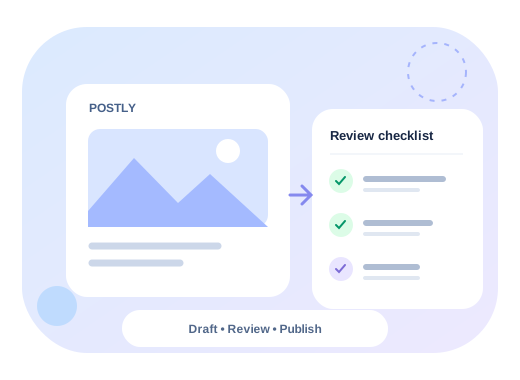
Tagging follows a simple workflow:
- Draft your post
- Open Post Preview
- Add @usernames (comma-separated)
- Select your platform and format
- Publish or schedule
Postly applies tags based on each platform’s supported behavior.
📍 Where to Find Tagging
Tagging is available inside the Post Preview section of the Editor.
To access:
- Create or edit a post
- Open Post Preview
- Click the Tagging icon
- Enter @usernames
This allows you to review and finalize tags right before publishing.
🧩 Platform Support
Tagging behavior varies by platform.
Postly makes this clear with support labels.
- ✅ Supported
- Works for Feed and Stories
- Add comma-separated @usernames in Preview
- Ensure usernames are correct before publishing
Threads
- ✅ Supported
- Use @username directly
YouTube
- ✅ Supported
- Use @username in content
- ❌ Not available
- No official API support
- ❌ Not available
- No official API support
Bluesky
- ❌ Not available
📸 Instagram Tagging (Feed & Stories)
Instagram tagging works for both formats using the same process.
How it works
- Draft your post
- Open Post Preview
- Add @usernames (comma-separated)
- Select:
- Feed or
- Stories
- Publish
Tagging will be applied correctly in both formats.
⚠️ Important Notes on Tagging
To ensure tagging works properly:
- usernames must be valid
- usernames must be spelled correctly
- use comma-separated format
- double-check before scheduling
Incorrect usernames may result in failed tags.
🧠 Platform-Aware Behavior
Postly is designed to be transparent.
- If a platform supports tagging → it works
- If a platform does not support tagging → clearly marked
This avoids:
- broken expectations
- failed posts
- confusion at publish time
🚀 Best Practices
To get the most out of tagging:
- tag collaborators and partners
- use tagging in campaigns and promotions
- combine tagging with strong captions
- double-check usernames before publishing
- use Preview to validate everything
▶️ How to Use Tagging
Step 1: Create Your Post
- Open the Editor
- Write your caption
- Upload media
Step 2: Open Post Preview
- Navigate to Preview
- Click the Tagging icon
Step 3: Add Mentions
- Enter @usernames
- Separate with commas
Example:
@nike, @adidas, @brandname