
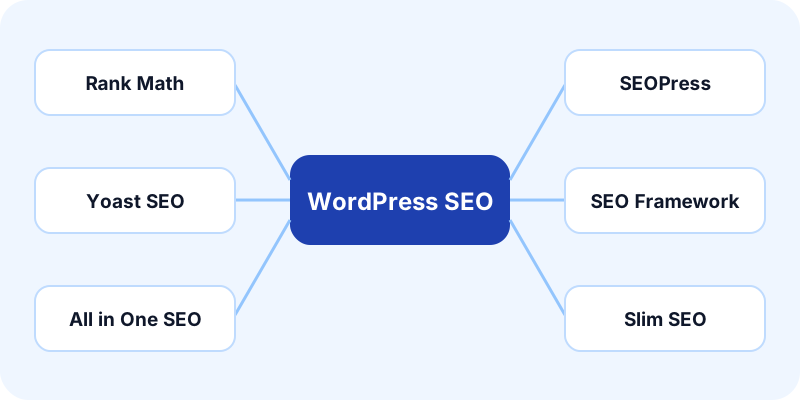
In WordPress post settings, open SEO, schema and WordPress fields and choose your installed SEO plugin. Use wordpress_seo_plugin in CSV or Google Sheets, or settings.seo_plugin in API and MCP requests.
| Plugin | Value | Delivery method and requirement |
|---|---|---|
| Rank Math | rank_math | Authenticated Rank Math updateMeta endpoint; the connected user must be allowed to edit the post's SEO |
| All in One SEO | aioseo | aioseo_meta_data through the authenticated WordPress posts endpoint; relevant AIOSEO general/social/advanced permissions |
| Yoast SEO | yoast | Registered writable WordPress REST metadata; Yoast's own REST API is read-only |
| SEOPress | seopress | Registered writable WordPress REST metadata; this adapter does not call SEOPress's separate REST endpoints |
| The SEO Framework | seo_framework | Registered writable WordPress REST metadata; uses a single shared social image |
| Slim SEO | slim_seo | Registered writable slim_seo object metadata; shares the SEO title and description with social previews |
auto detects a single identifiable plugin from the REST namespaces and returned metadata. If detection is unavailable or ambiguous, select the plugin explicitly. Installing multiple SEO plugins can produce conflicting tags; Postly does not choose between multiple detected plugins.
These authenticated adapters apply to self-hosted WordPress connections. WordPress.com connections use that service's permitted metadata fields; protected plugin metadata may be unavailable depending on the site and connection. Postly warns if the returned metadata does not confirm delivery. Do not assume installing a plugin grants API access automatically.
Rank Math and AIOSEO
Connect using a WordPress application password for a user who can edit the article and its SEO. A security plugin or host must not block the relevant REST route. Postly uses Rank Math's authenticated metadata writer or AIOSEO's posts metadata field and checks the response.
Keep featured images and social images distinct. The featured image appears in the article/theme; Open Graph and X images control link previews. Existing media-library attachments are reused without changing their alt text.
Registered metadata adapters
Yoast, SEOPress, The SEO Framework and Slim SEO require your site administrator to register the plugin fields as writable REST metadata. Merely enabling the WordPress REST API is insufficient. The plugin must be installed and use these fields. Configure this in a site plugin or an administrator-managed integration, not in article content.
Register only the fields for your installed plugin, for the post post type, with single: true, the correct schema and an authorization callback that requires current_user_can('edit_post', $post_id). String fields use type: string and show_in_rest: true.
| Plugin | String metadata keys used by Postly |
|---|---|
| Yoast | _yoast_wpseo_title, _yoast_wpseo_metadesc, _yoast_wpseo_canonical, _yoast_wpseo_opengraph-title, _yoast_wpseo_opengraph-description, _yoast_wpseo_opengraph-image, _yoast_wpseo_twitter-title, _yoast_wpseo_twitter-description, _yoast_wpseo_twitter-image |
| SEOPress | _seopress_titles_title, _seopress_titles_desc, _seopress_robots_canonical, _seopress_social_fb_title, _seopress_social_fb_desc, _seopress_social_fb_img, _seopress_social_twitter_title, _seopress_social_twitter_desc, _seopress_social_twitter_img |
| The SEO Framework | _genesis_title, _genesis_description, _genesis_canonical_uri, _open_graph_title, _open_graph_description, _twitter_title, _twitter_description, _social_image_url |
For example, an administrator can register a Yoast description field in a site plugin:
add_action('init', function () {
    register_post_meta('post', '_yoast_wpseo_metadesc', [
        'single' => true,
        'type' => 'string',
        'show_in_rest' => true,
        'auth_callback' => function ($allowed, $key, $post_id) {
            return current_user_can('edit_post', $post_id);
        },
    ]);
});
Register the remaining fields you intend to send in the same way. Postly also supplies fallback social titles/descriptions from the SEO title/description, so expose those fields when using these adapters. Do not use an authorization callback that returns true for everyone.
Slim SEO uses one object, slim_seo, rather than individual string keys. Its object schema must expose title, description, canonical, facebook_image and twitter_image as strings, and preserve other existing plugin properties such as noindex. Postly reads and merges the existing object before writing; it refuses to replace an unreadable object. Ask the site administrator to configure the object schema against the installed plugin version.
After setup, publish a draft and inspect the delivery result. The metadata returned by WordPress must match the requested values. Publish and inspect a test article's public head tags, including after cache invalidation. Yoast indexing, site plugins and theme filters may affect rendered output even when stored values are correct.
Limitations and recovery
The SEO Framework uses one social image. If two different social images are supplied, Postly chooses the Open Graph image and warns about the separate X image. Slim SEO cannot apply independent social titles/descriptions through this adapter; it warns if those overrides are supplied.
If a post has already been created, a denied or unconfirmed SEO update leaves its article ID and link intact and adds a delivery warning. Correct the existing post in WordPress. Do not republish it to repair metadata.
Provider documentation
- WordPress REST metadata registration
- Yoast REST API
- AIOSEO REST API data
- SEOPress REST API
- The SEO Framework stored data
- Slim SEO metadata abilities
Related guides
Dedicated plugin guides
Compare the WordPress SEO integrations, or open the guide for your installed plugin: