
Social CRM Pipeline, Tasks, and Follow-Ups
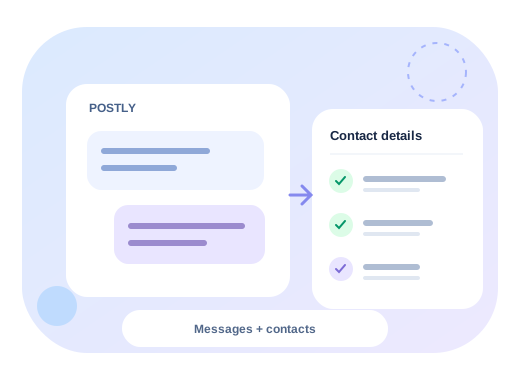
Postly CRM connects customer conversations to the work that happens after a reply. Instead of losing a promising comment or direct message in an inbox, your team can capture the contact, create an opportunity, assign the next action, and move the relationship toward a clear outcome.
From conversation to opportunity
- Open Postly CRM and review the unified social inbox.
- Reply from the conversation workspace and confirm any captured contact details.
- Schedule a follow-up task while the customer context is still visible.
- Open Pipeline to review the opportunity created from that contact.
- Add an owner, tags, estimated value, next action, and any workspace custom fields.
- Drag the opportunity to a new stage as the relationship progresses.
- Mark the opportunity won or lost so analytics reflect a real outcome.
Source details stay attached to the opportunity, including the originating platform, channel, post, and conversation where available. This makes social lead tracking useful beyond the first response.
Keep follow-ups accountable
The My Work & Tasks view brings together open, due-today, and overdue work. Tasks can be created directly from a customer conversation or from the CRM task view. Postly CRM Advanced also supports shared ownership and daily, weekly, or monthly recurring tasks.
Use task priorities consistently:
| Priority | Recommended use |
|---|---|
| Urgent | A customer is blocked, at risk, or waiting on a time-sensitive answer |
| High | A qualified lead, proposal, renewal, or committed follow-up |
| Normal | Standard relationship and service work |
| Low | Research, enrichment, or a non-time-sensitive check-in |
Organize the pipeline
Postly CRM includes a practical default pipeline: New, Contacted, Qualified, Decision, Won, and Lost. Advanced workspaces can rename, add, remove, and reorder stages for different sales or customer-service processes.
Tags help teams group opportunities such as pricing enquiries, demo requests, existing customers, urgent conversations, and partnerships. Saved views combine stage and ownership filters so frequently used queues can be reopened quickly. Advanced workspaces can share those views with the whole team.
Postly and Postly CRM availability
- Postly CRM Essentials in Postly: unified inbox, contact capture, a focused default pipeline, personal follow-up tasks, limited tags and saved views, saved replies, timeline context, and essential operational analytics.
- Postly CRM Advanced: custom pipelines and fields, shared and recurring tasks, shared views and reply playbooks, CRM automations, SLA policies, team digests, won/lost outcomes, revenue attribution, and advanced funnel analytics.