Skip to content
Campaigns & insights

Paid ads reporting

See where your advertising spend goes.

Connect your advertising account, select a reporting period and review the results. Keep paid reporting focused on the numbers and decisions that matter to your business or clients.

Illustrative ad comparison showing spend, response and conversion metrics.
Illustrative reporting view · No customer data
Built for businesses & agenciesClear reporting contextComparisons you control

01

Connect Google Ads

Authorize an account you can access, including eligible client accounts through a manager account. Advertising connections are separate from social publishing.

Explore connect google ads →

02

Compare reporting periods

Review spend, impressions, clicks and cost metrics alongside the previous period. Conversion metrics depend on the tracking configured in your ad account.

Explore compare reporting periods →

03

Compare ads and decide what to test

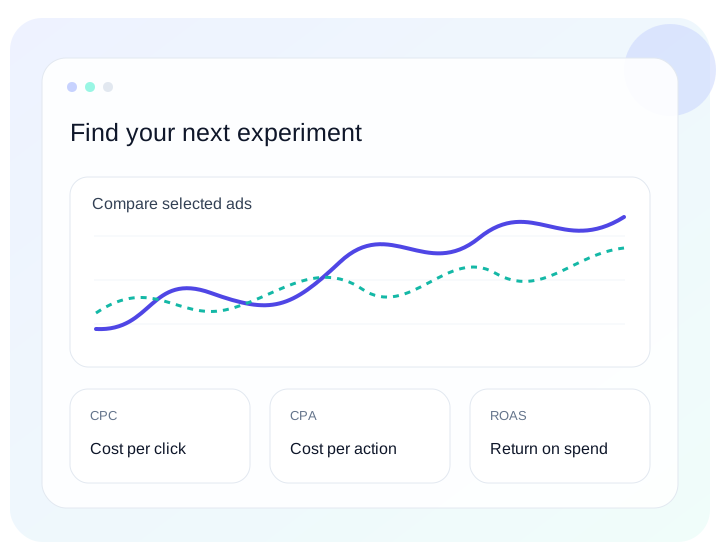
Select ads across accounts and supported networks. Compare CPC, CPA, CTR, CPM and available ROAS with concise insights and clear measurement context. This is observational analysis, not a controlled A/B test.

Explore compare ads and decide what to test →

04

Share a useful report

Export CSV details or a PDF summary with dates, currency and measurement context. Saved results preserve the source figures used.

Explore share a useful report →

A little more clarity

Questions about paid ads reporting

Does connecting give Postly control of my budgets?

Postly uses this integration for reporting. It does not create ads, change bids, change budgets or pause campaigns.

What happens if I disconnect?

Future reporting refreshes stop. Saved reports remain, and your separate social publishing connections are unaffected.

Are conversions unique customers?

No. Results are platform-reported and reflect each provider’s tracking and attribution settings. Different platforms can claim the same conversion.

Less reporting friction. More perspective.

Make your next marketing decision a clearer one.

Explore Postly →