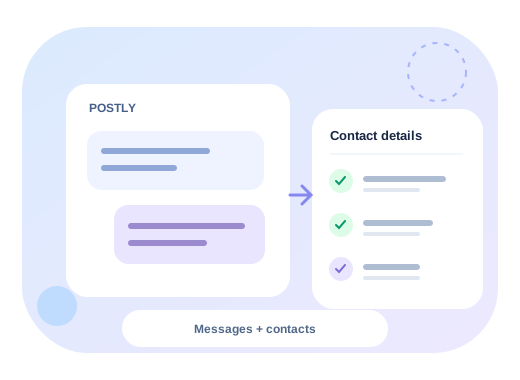
A mention is a post or comment that tags your connected account. It gives you a chance to answer a question or acknowledge a customer's experience where they shared it. For example, if someone asks “@yourbrand, does this come in blue?”, open the mention and reply with the available options.
Open Mentions
- Connect the social account in Channels and select its channel for CRM.
- Open Inbox > Mentions in Postly CRM. The same tab is available inside Postly and in the standalone Postly CRM dashboard.
- Filter by platform or search the conversations you have loaded. Open a mention to read its context and source link.
- Write your reply and choose Send. The reply is public on the source platform, not a private message.
- Add an internal note or a personal reminder when you need to follow up.
Mentions are counted separately from ordinary comments and direct messages. The All tab includes them once. This feature receives supported account mentions; it does not search every untagged use of your brand name.
Supported platforms
| Platform | Available mentions | Account requirements and limits |
|---|---|---|
| Public posts that tag your Page and are returned by Meta | A managed Page with permission to read user content and manage engagement. Personal profiles and Groups are not included. Meta may omit posts that are private, unavailable, or restricted. | |
| Public caption and comment @mentions of a Business or Creator account | Connect through Facebook using Connect music, product tags & mentions, approve comment access, and select the Instagram channel in CRM. Stories, Reels, private posts, and photo tags alone are not included. | |
| Posts that mention a Company Page you administer | A connected Company Page with Community Management permissions. Personal-profile mentions are not supported. | |
| X | Posts that mention your connected account | X API access and read/write permissions are required. Direct replies to your posts stay in Comments. API limits can delay refreshes. |
| Bluesky | Mention notifications for your connected account | A current app password. Ordinary replies and quote notifications stay in Comments. |
Other CRM platforms keep their existing messages, comments, or reviews where supported; they do not gain mention discovery merely by being connected.
Instagram setup
Open your Instagram account in Channels and choose Connect music, product tags & mentions. This uses the same optional Facebook connection as music and product tags. Reconnect an existing grant if it does not yet include comment access. You do not need an eligible Shop or product catalog to receive mentions.
Instagram delivers new caption and comment mention notifications after setup. There is no complete historical import. A newly connected inbox may therefore start empty. Try a new public mention after connecting and selecting the channel. Do not expect private posts or Stories to appear.
Pricing and access
Mentions is included within your eligible CRM access and selected channel allowance. It does not create an extra CRM channel charge. A standalone CRM subscription has its own allowance. Inside Postly, use the CRM access included with your plan or an active CRM add-on. Connecting a Facebook grant does not select CRM channels or increase the allowance.
The workspace owner's subscription and your assigned permissions govern access. Provider permissions, availability, and API limits still apply. See channel allowances and workspace access and Pricing.
If something is missing
- Refresh the inbox and inspect any affected-account notice. A failed refresh does not prove there are no mentions.
- Check that the correct account is connected, authorized, and selected for CRM.
- Reconnect if the provider has removed a permission or the authorization expired.
- A deleted or restricted post may no longer be readable or replyable.
- If sending a reply times out, check the source platform before trying again. The platform may have accepted it even if confirmation did not arrive.
Automatic comment and DM replies retain their own triggers. Enabling those rules does not automatically reply to every mention.