TikTok content planner: plan videos and cover sequences
Organize upcoming TikTok posts, compare video covers and understand the limits of TikTok’s public-video API.
Reviewed 15 October 2026 · Postly product guide
Connect the account you are planning for
Choose TikTok and a connected account in Visual planners. The Display API requires video.list permission to return public videos. If an older connection lacks permission, reconnect it. Published-video context is optional: draft preparation and existing Postly schedules should remain available when the provider is temporarily unavailable.
Arrange, review, then apply
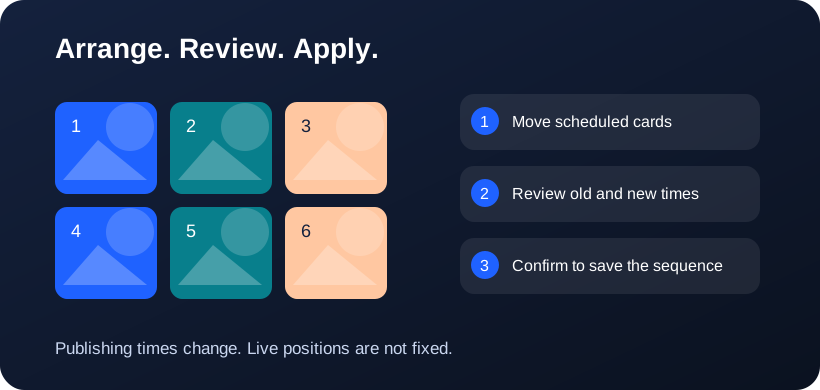
Schedule posts for the selected account first. Drag scheduled cards to exchange their publishing times; the latest scheduled time appears first. An Unsaved schedule changes panel appears beside the cards only after you change their arrangement. Choose Review schedule changes, compare the old and new times, then confirm Apply schedule changes. This saves the publishing sequence for this account; it does not publish immediately, move live posts or guarantee fixed profile positions. Undo arrangement discards the proposal.
Use covers to check the sequence
Compare the subject, text size and visual repetition of upcoming covers. A sequence of nearly identical thumbnails can hide the differences between your videos. Open a draft to change the content or supported publishing settings; moving a tile does not edit the video itself.
Know what the API actually returns
TikTok documents a paginated public-video list ordered by creation time. This is not a complete reproduction of every profile state. Photo posts, private content and native pinned ordering may be absent. Cover image URLs can expire, so refresh instead of treating an old preview as permanent evidence.
Keep posting controls in the publishing flow
Use the normal editor to review account eligibility, privacy, interactions and publishing requirements. A planner is a place to compare upcoming content and propose schedule changes. It does not bypass TikTok authorization or required creator controls, and it does not set the live profile’s grid width.
Frequently asked questions
Will the planner show every TikTok photo post?
No. The documented video-list endpoint returns public videos. The preview identifies that limitation.
Can I plan a 3×4 canvas?
Yes. Canvas dimensions are a Postly planning choice, not a TikTok profile setting.
Why does 3×4 look like 3×3 at the top?
Both have three columns. 3×4 adds a fourth row, giving 12 slots instead of 9. Scroll down to see the extra row. These dimensions control the Postly canvas, not a provider API setting.
Related workflows
- Explore the related Postly workflow
- Instagram grid planner: preview posts before scheduling
- Pinterest board planner: organize upcoming Pins
- 3×3, 3×4 or 4×4: choose a social planning grid
- Image grid splitter: turn one design into numbered posts
- How to reorder post images before publishing
- Fix all post images: repair a batch before publishing
- Social planner APIs: Instagram, TikTok and Pinterest
Provider references
Provider capabilities and account permissions can change. These guides distinguish documented API functions from Postly planning controls.