Instagram grid planner: preview posts before scheduling
Plan Instagram posts beside published media, review carousel covers and understand what a profile preview can and cannot control.
Reviewed 15 October 2026 · Postly product guide
Start with the correct Instagram account
Open Visual planners from the calendar or sidebar, select Instagram and choose a connected account. The planner reads available published media through the connected account and combines that context with Postly drafts and upcoming posts. Reconnect if the account lacks permission to read media; a failed read does not mean the profile is empty.
Arrange, review, then apply
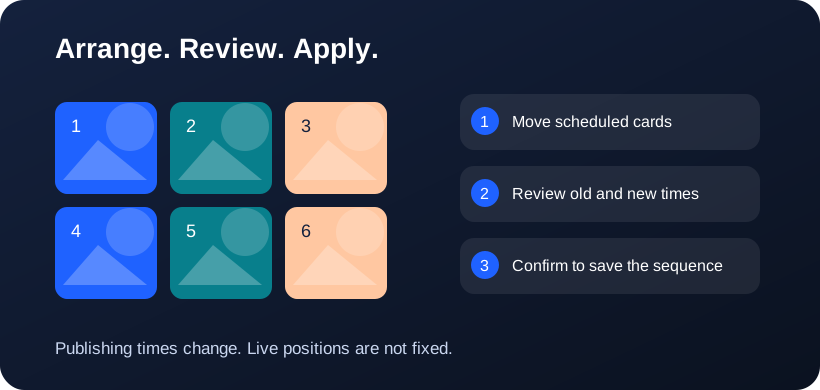
Schedule posts for the selected account first. Drag scheduled cards to exchange their publishing times; the latest scheduled time appears first. An Unsaved schedule changes panel appears beside the cards only after you change their arrangement. Choose Review schedule changes, compare the old and new times, then confirm Apply schedule changes. This saves the publishing sequence for this account; it does not publish immediately, move live posts or guarantee fixed profile positions. Undo arrangement discards the proposal.
Plan the cover, then the carousel
A carousel occupies one profile tile. Its first image introduces the post, while the remaining images tell the story after someone opens it. Change image order in the editor or preview grid, then check that the first image still works at thumbnail size. A profile planner arranges posts; the media grid arranges images inside one post.
Review publishing times before applying
Moving scheduled posts proposes a different order by exchanging their publishing times for the selected account. Review every date before applying. Other destinations keep their schedules. Published posts, recurring schedules and campaign-controlled posts need their existing workflows rather than automatic rearrangement.
Treat the live profile as the final reference
API media is useful context, but native pins, profile crops, removed posts and content that cannot be read may change the live appearance. Postly does not claim to rearrange already-published Instagram tiles or set Instagram’s column count. Refresh the preview and inspect the actual profile after publishing.
Frequently asked questions
Does 4×4 change my Instagram profile?
No. It is a Postly planning canvas or image export layout. It does not change Instagram’s native columns.
Can I rearrange carousel images?
Yes, before publishing, use drag or the move menu in the editor and media previews. Account-specific media orders remain scoped to that account.
Why does 3×4 look like 3×3 at the top?
Both have three columns. 3×4 adds a fourth row, giving 12 slots instead of 9. Scroll down to see the extra row. These dimensions control the Postly canvas, not a provider API setting.
Related workflows
- Explore the related Postly workflow
- TikTok content planner: plan videos and cover sequences
- Pinterest board planner: organize upcoming Pins
- 3×3, 3×4 or 4×4: choose a social planning grid
- Image grid splitter: turn one design into numbered posts
- How to reorder post images before publishing
- Fix all post images: repair a batch before publishing
- Social planner APIs: Instagram, TikTok and Pinterest
Provider references
Provider capabilities and account permissions can change. These guides distinguish documented API functions from Postly planning controls.