3×3, 3×4 or 4×4: choose a social planning grid
Compare nine-, twelve- and sixteen-tile planning canvases and learn why canvas size is separate from native profile layout.
Reviewed 15 October 2026 · Postly product guide
Read dimensions as columns × rows
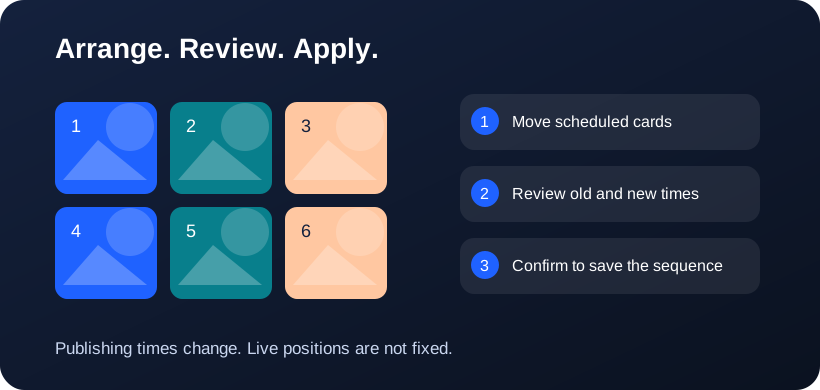
A 3×3 canvas contains nine positions. A 3×4 canvas contains twelve positions in three columns and four rows. A 4×4 canvas contains sixteen positions. Writing the convention explicitly avoids accidentally preparing twelve images in four columns when the intended profile is three columns wide.
Use nine tiles for a compact review
A 3×3 canvas is useful for comparing a small content batch: a launch, a weekly theme or a manageable mix of educational and promotional posts. Review the first image of each carousel, and leave space for posts that are not ready. Empty positions are planning placeholders, not automatically scheduled posts.
Use twelve tiles to retain three columns
Choose 3×4 when you want another row while keeping three columns. For a mosaic intended for a three-column chronological profile, this preserves the horizontal arrangement. Still review native crops and pinned content; correct column count alone cannot guarantee seamless alignment.
Use sixteen tiles for a wider planning board
A 4×4 board gives more comparison space for a campaign or creative review. Exporting a four-column split artwork does not make a three-column profile display it correctly. Use the wider layout for planning or independently useful tiles unless the final destination actually matches the composition.
Frequently asked questions
Is a planning grid an API setting?
No. Canvas dimensions are managed inside Postly. Provider APIs supply supported content and publishing actions, not arbitrary native profile columns.
Can I split the same source into different layouts?
Yes. Choose a preset or custom rows and columns, regenerate the preview and review the crop before downloading.
Why does 3×4 look like 3×3 at the top?
Both have three columns. 3×4 adds a fourth row, giving 12 slots instead of 9. Scroll down to see the extra row. These dimensions control the Postly canvas, not a provider API setting.
Related workflows
- Explore the related Postly workflow
- Instagram grid planner: preview posts before scheduling
- TikTok content planner: plan videos and cover sequences
- Pinterest board planner: organize upcoming Pins
- Image grid splitter: turn one design into numbered posts
- How to reorder post images before publishing
- Fix all post images: repair a batch before publishing
- Social planner APIs: Instagram, TikTok and Pinterest
Provider references
Provider capabilities and account permissions can change. These guides distinguish documented API functions from Postly planning controls.