Social planner APIs: Instagram, TikTok and Pinterest
Understand what provider APIs supply to a visual planner and which layout decisions remain inside Postly.
Reviewed 15 October 2026 · Postly product guide
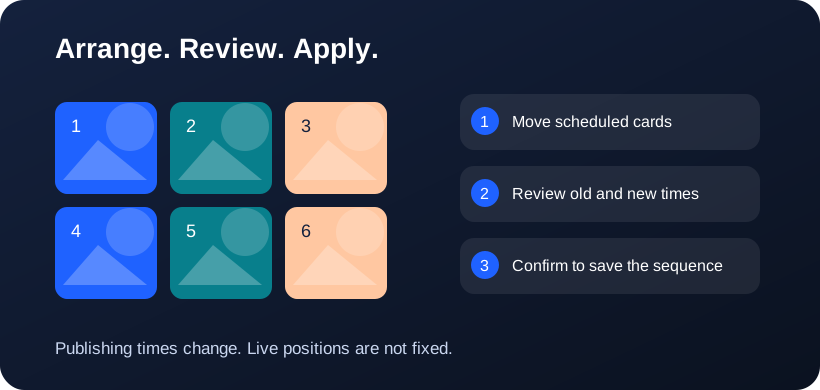
Separate reading, planning and publishing
A useful planner has three responsibilities. It reads permitted published content, lets you compare proposed content, and sends approved changes through supported publishing workflows. Reading a media list does not grant permission to rearrange live profile tiles. A visual canvas is application state, not a provider setting.
Instagram media and carousel publishing
Meta’s Instagram integration exposes media reading and content-publishing surfaces. Carousel creation uses an ordered set of child media. Postly must preserve that sequence when preparing a post. No native grid-width or already-published profile rearrangement capability is promised by this planner; account type, authorization and media eligibility still apply.
TikTok public-video context
TikTok’s /v2/video/list/ endpoint requires video.list and returns up to twenty public videos per page, ordered by create_time. This supports useful cover context but is not a complete photo-post or pinned-profile snapshot. Content publishing is a separate API with its own scopes, approval and creator controls.
Pinterest boards and Pins
Pinterest provides read scopes for boards and Pins and write scopes for supported creation and updates. Board-specific lists are appropriate context for a board planner. Postly can arrange an editorial canvas and propose timing, but should not represent a fixed grid as an exact reproduction of Pinterest’s live board or discovery feed.
Frequently asked questions
Why can a connected account still need reconnecting?
A connection may have publishing permission but lack a required read scope, or its token may have expired or been revoked.
Is API content a pixel-perfect profile preview?
No. Native pins, crops, visibility rules, unsupported content and provider presentation can differ from the returned media list.
Why does 3×4 look like 3×3 at the top?
Both have three columns. 3×4 adds a fourth row, giving 12 slots instead of 9. Scroll down to see the extra row. These dimensions control the Postly canvas, not a provider API setting.
Related workflows
- Explore the related Postly workflow
- Instagram grid planner: preview posts before scheduling
- TikTok content planner: plan videos and cover sequences
- Pinterest board planner: organize upcoming Pins
- 3×3, 3×4 or 4×4: choose a social planning grid
- Image grid splitter: turn one design into numbered posts
- How to reorder post images before publishing
- Fix all post images: repair a batch before publishing
Provider references
Provider capabilities and account permissions can change. These guides distinguish documented API functions from Postly planning controls.