Image grid splitter: turn one design into numbered posts
Prepare image tiles with 3×3, 3×4, 4×4 and custom layouts, review crop or padding, and export in the intended order.
Reviewed 15 October 2026 · Postly product guide
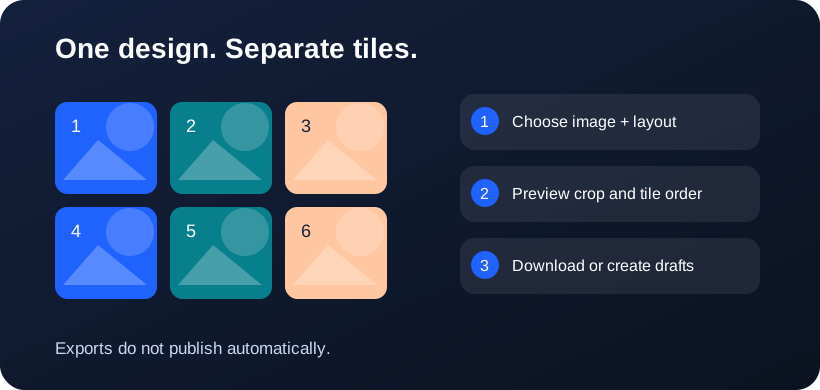
Prepare a source that survives being divided
Choose a high-resolution JPEG, PNG or WebP. Keep faces, logos and essential text away from tile boundaries. Each exported tile should remain useful when viewed alone, especially if followers encounter individual posts in their feeds. The splitter accepts files up to 24 MB and 24 megapixels to keep processing manageable.
Choose layout and tile shape together
Pick 3×3, 3×4 or 4×4, or choose one to six columns and rows. Select square, 3:4 portrait or 4:5 portrait tiles. Center crop fills the composition by removing excess edges; fit preserves the source within white padding. Preview again after changing any setting, because those choices affect every tile.
Review export order
For a chronological profile where newer posts appear first, bottom-right-first numbering can reconstruct a three-column design after the full sequence is published. For carousel slides, use left-to-right, top-to-bottom order. The downloaded ZIP contains numbered JPEG files and an order guide; downloading does not publish anything.
Check the result before scheduling
Inspect the individual tiles at the size people will see. Exports do not upscale a small source to invent detail. Create separate unscheduled drafts for the selected account directly from the splitter, or download the ZIP and upload tiles to a supported carousel. Add captions and review validation in the publishing editor before scheduling. Native pins, gaps, crops and other posts can interrupt a profile mosaic.
Frequently asked questions
Does splitting overwrite my original?
No. The splitter creates JPEG exports. The original source stays unchanged.
Will a 4×4 export form a mosaic on a three-column profile?
No. Four-column artwork does not align automatically with a three-column profile. Use three columns for that intended composition.
Why does 3×4 look like 3×3 at the top?
Both have three columns. 3×4 adds a fourth row, giving 12 slots instead of 9. Scroll down to see the extra row. These dimensions control the Postly canvas, not a provider API setting.
Related workflows
- Explore the related Postly workflow
- Instagram grid planner: preview posts before scheduling
- TikTok content planner: plan videos and cover sequences
- Pinterest board planner: organize upcoming Pins
- 3×3, 3×4 or 4×4: choose a social planning grid
- How to reorder post images before publishing
- Fix all post images: repair a batch before publishing
- Social planner APIs: Instagram, TikTok and Pinterest
Provider references
Provider capabilities and account permissions can change. These guides distinguish documented API functions from Postly planning controls.