Skip to content
Social media management, expanded.

Grow your brand from first post to next customer.

Publish across social media, blogs, and email. Build customer relationships with Postly CRM, guide clicks to Bio Pages, and use Analytics to see what works—all in one workspace.

Publishing + CRM
Bio Pages + Analytics
One workspace
PCampaign operations
Pro

Growth marketing

Campaign operations

8 brand channels
CreateBI
Drafts 10

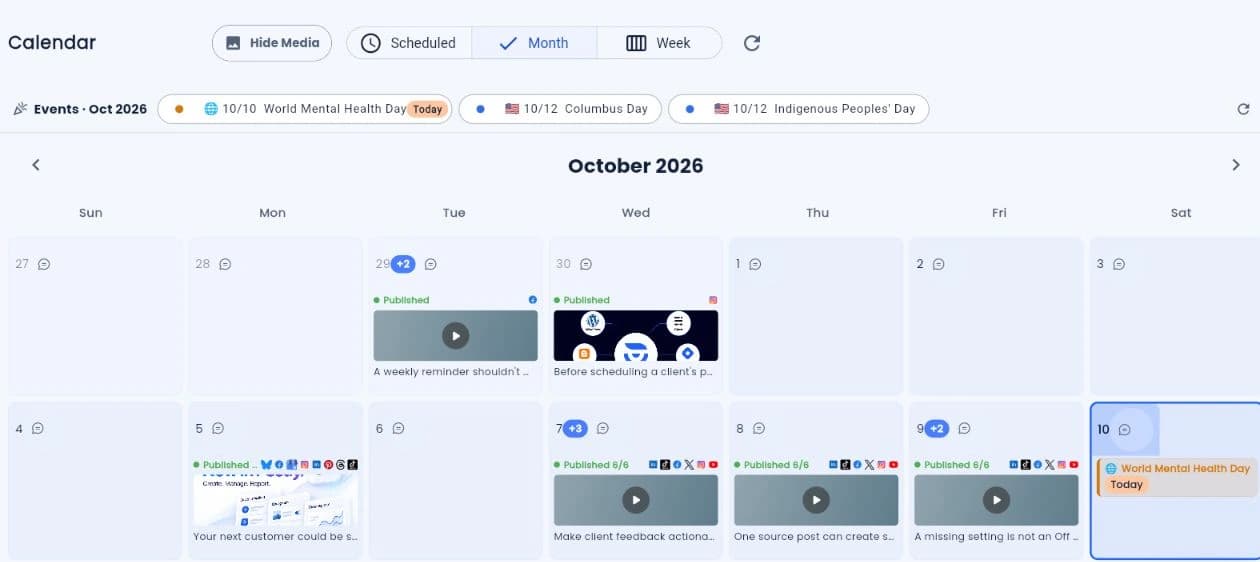
New product campaign scheduled across every social channel.

Campaign creative

Plan once. Publish beautifully everywhere.

Rewrite with AI
Best time 7:15 AMSchedule

Campaign progress

Approved

84%

Published

42

Upcoming

M

T

W

T

F

Plan · Preview · Approve · Schedule · Analyze
“Postly feels like a true "command center" for social media—bringing everything into one streamlined, automated workflow.”
Mario F. · Social Media Manager · Read the review on G2
StripeFeatured by StripeRead the Postly story ↗

Campaign automation · For teams and agencies

A clear plan.
An organized launch.
Results you can report.

Start from a link, document, or brief. Generate drafts, move content through review, and schedule the approved work. Keep publishing progress and campaign reports connected, so everyone knows what happens next.

Use it for your next client launch. Collect ideas, review the copy, schedule across channels, then share the publishing results.

For ongoing publishing, explore Auto Post from feeds and products or recurring posts.

Auto Post · Always-on content

Six ways to keep your content moving.

Start with what you already have. Turn prompts, videos, products, feeds, articles, and documents into repeatable social and blog workflows.

Explore Auto Post
Six content sources flow through Postly Auto Post to social posts and blog articles.AI PromptYouTubeEcommerceRSS FeedBlog URLDocumentsAuto PostReview · ScheduleSocial postsYour connected channelsBlog articlesYour connected blogs
Your sources. Your schedule. Social + blog publishing.
Choose a sourceReview & configurePublish to social or blogs

AI Prompt

Turn a topic or brief into recurring social posts or blog drafts. Give your best ideas a publishing rhythm.

YouTube Video

Repurpose a public video into social posts or a blog article using its title, available captions, and thumbnail.

Ecommerce

Keep products in the spotlight with recurring social posts and blog articles from your catalog or a public product URL.

RSS Feed

Turn new RSS or Atom items into social or blog posts. Keep the source content or optionally adapt it with AI.

Blog URL

Give an existing article another life as social content or a new blog post, using its readable text and featured image.

Documents

Publish uploaded records as written or adapt them with AI. Work from CSV, JSON, TXT, Markdown, or Word documents.

Social + BlogDocument setup →

Keep promoting the right products.

Pin priority products, set frequency, respect cooldowns, and continue the rotation.

Shopify is coming soon, pending final approval and readiness. Square Online uses public product URLs.

Choose eligible connected destinations, set your schedule and publishing presets, and keep workspace approvals in place. Browse all Auto Post guides.

Facebook + Instagram Auto-Replies

They ask.
You deliver.
Automatically.

Turn engagement into action. Send the guide, share the offer, or answer a buying question with Facebook and Instagram auto-replies. Keep the conversation in Postly CRM for a personal follow-up.

Keyword DM repliesComment-to-DMInstagram conversation starters
Comment GUIDEMatch keywordSend the resourceExample workflow · Subject to account permissions and platform eligibility.
Watch the Auto-Replies demo on YouTube ↗
Build the reply. Keep the conversation going in Postly CRM.

Work from the tools you already use

Build it into your software.
Or bring it to your AI assistant.

API

For developers and technical teams

Your tools. Your publishing workflow.

Connect Postly to your app, dashboard, or internal tools. Use the API to turn your own content workflow into publishing across connected accounts.

  • Integrate with your existing systems
  • Work with connected accounts and media
  • Keep publishing in your own workflow

Try this: Build a publishing step into your own application.

MCP

For people working with AI agents

Your AI assistant. Ready to publish.

Connect ChatGPT, Claude, or another supported AI client to Postly with MCP. Create content and use publishing tools from the assistant you already work with.

  • Bring publishing into your AI conversations
  • Use Postly tools through a supported client
  • Review the content and chosen destination

Try this: Ask ChatGPT to create and schedule an Instagram post.

The tools behind your workflows

Connected channels. Room to do more.

Publish across supported social, blog, and email destinations. Add the tools your workflow needs.

Explore all features →

Shoppable publishing

Tag the products behind your Instagram posts.

Select eligible catalog products while you preview and schedule Instagram posts, Reels, and carousels. Give shoppers a direct path from your content to product details.

Explore Instagram Shop product tagging →

Requires an eligible Instagram professional account, approved Shop and connected catalog. Available on Pro and Enterprise.

Instagram publishing preview with catalog product tags
Explore more publishing tools

Built-in Editor AI handles everyday writing and platform optimization. AI Studio adds generated campaign assets.

Publishing activity and service status
Want the bigger picture? Watch the Postly overview · 3:07

See how Postly fits together.

Take the general tour of publishing, customer conversations, and performance insights. Explore a specific workflow above when you’re ready to go deeper.

Browse all demos and tutorials →

Bringing a larger team along?

Explore organization controls, approvals, and rollout support for teams working across brands and regions.