


The social and email publishing infrastructurefor teams and AI agents.
Plan, create, schedule, and publish social and email campaigns from one simple workspace. Use it manually with your team, connect it to your stack with the API, or let AI agents run publishing workflows through MCP.
Postly
Publish hub
One workspace for every campaign.Simple for teams. Programmable for builders.
Postly keeps day-to-day publishing easy, while giving developers and AI agents the API and MCP layer needed to automate content distribution.
Publish platform-native social content.
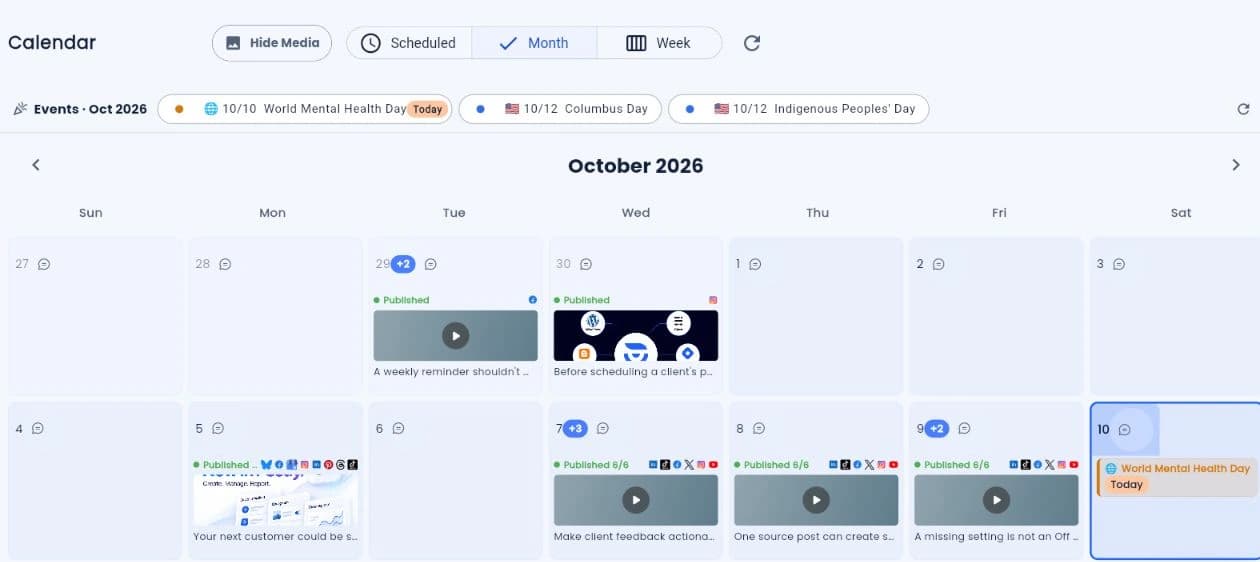
Plan, schedule, preview, and publish posts across your social channels without jumping between tools. Keep the experience simple for regular users, with automation ready when you need it.
Useful channel tools, without the clutter.
Keep the most important channel-specific tools close to the publishing workflow, so teams can move faster without overwhelming the page.
Publish email campaigns from the same workspace.
Reuse campaign ideas across newsletters and social posts, then schedule everything from one shared calendar.
Built for teams.Ready for developers and AI agents.
Use Postly as a simple publishing workspace, a developer API for custom workflows, or an MCP server that lets AI agents create, schedule, and publish content.
For users
Publish
For builders
API
For agents
MCP
Developer layer
API
Build custom integrations, middleware, publishing workflows, and automation systems using Postly REST APIs.
AI agent actions
MCP Server
Give ChatGPT, Claude, Cursor, and custom agents a safe way to create, schedule, publish, and inspect campaigns through Postly.
Scale without code
No-code automation
Schedule posts in bulk via CSV upload and Google Sheets integration. Publish across multiple platforms.
Connect Postly to your favorite AI agents.
Show builders where Postly fits in their AI stack without turning the homepage into documentation. Keep the deeper setup details on the MCP page.
Publish manually, programmatically, or with AI agents.
Start with a clean publishing calendar, then connect the API or MCP server when your team is ready to automate distribution.